
The Accounts Update
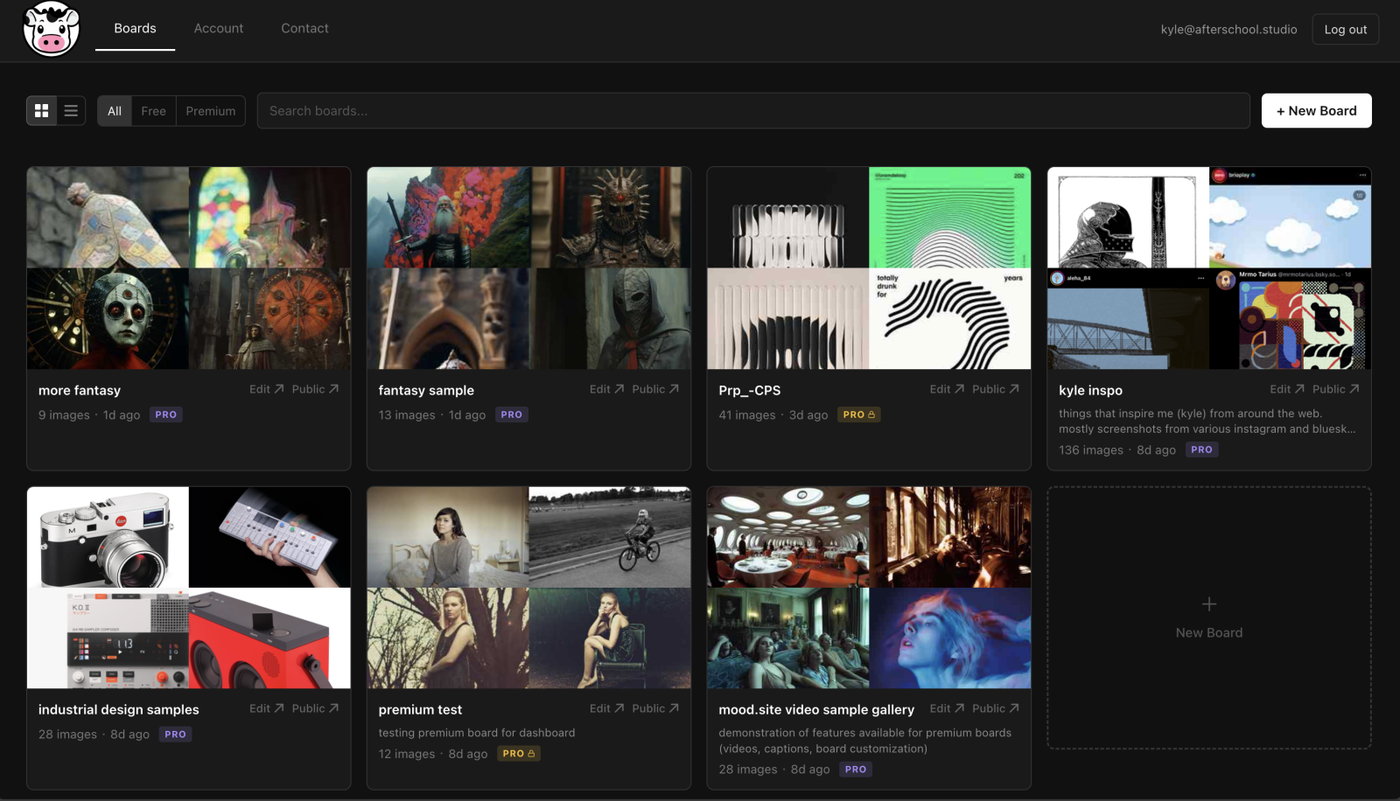
User accounts, a management dashboard, and new subscription pricing come to mood.
I've been teasing it for a bit, and mentioned it in the last update, but it's finally here: user accounts!
Now there is a lot of stuff that is new as part of this that I'll be getting into below, but I want to emphasize one thing: all the old functionality is unchanged. You can still create and access boards with just the URL. Free boards are still a thing and have no upload limit. Boards can still be upgraded a la carte to Premium. All that's still there, and even some new benefits for free users (raised upload limit to 8MB!).
All the new options complement what has already existed in mood, with the accounts features being largely opt-in. The only instance in which you have to make an account is if you are subscribing to mood (more below), but otherwise it's completely optional.
That said, I think accounts give you a few nice things such that I think broadly everyone can benefit from. Here's what's there:
User Accounts / Dashboard
Mood.site now allows you to create an account.
You can create an account by clicking "sign in" in the side panel menu on mood (accessed by clicking the cow), or by heading to https://mood.site/signup.
Logging in with your account will bring you to the new Dashboard view, where you are able to see all the boards you own, as well as recent boards you've visited.
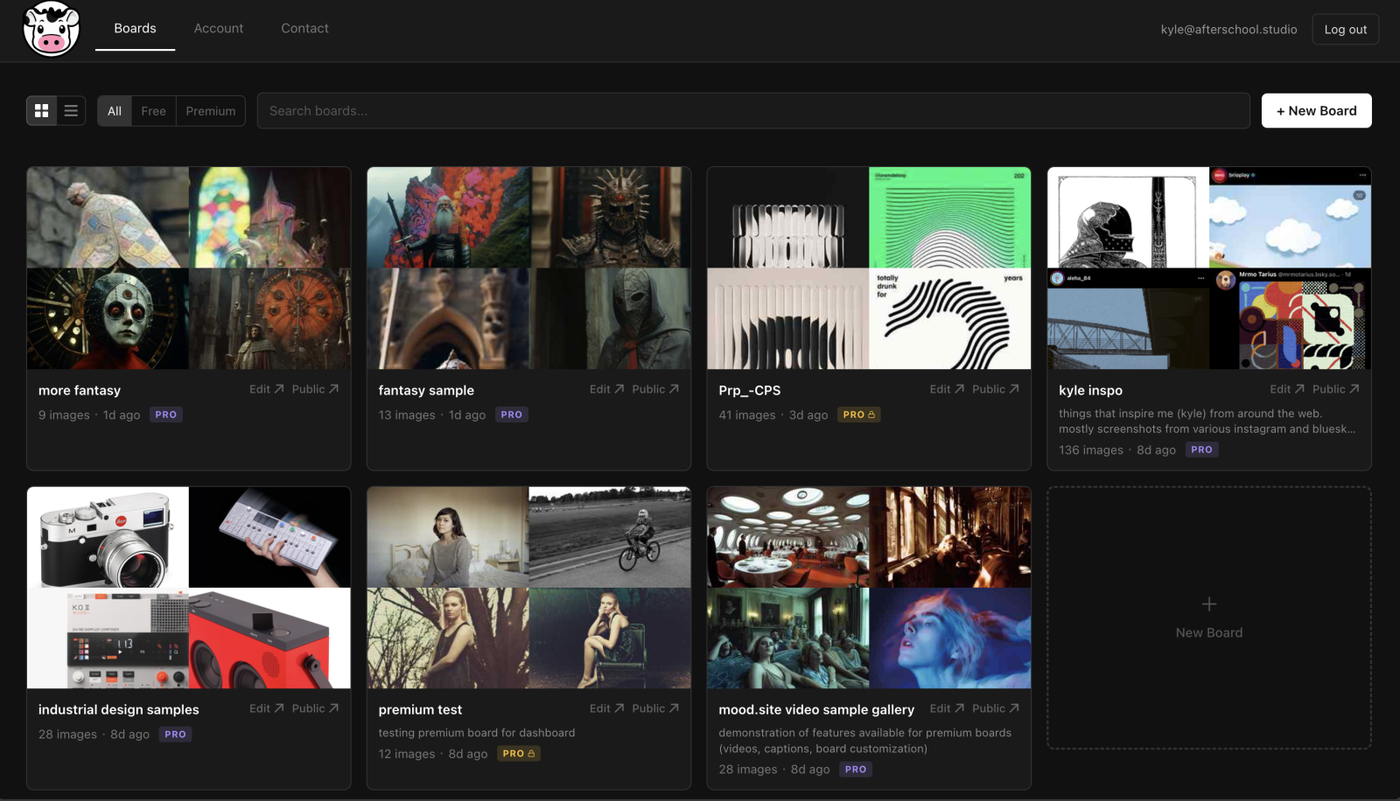
From this page, you can make a new board by clicking "New Board" in either the top menu or by clicking inside the top boards area where it says "New Board".
Recent boards appear below this top section, giving you easy access to boards shared with you by others or ones you've come across on the web otherwise.
Board Details
Clicking a board in the dashboard will bring up a "Board Details" panel that gives you a subset of settings to adjust for a board, largely related to dashboard-relevant fields like board title and description, as well as access and download settings:
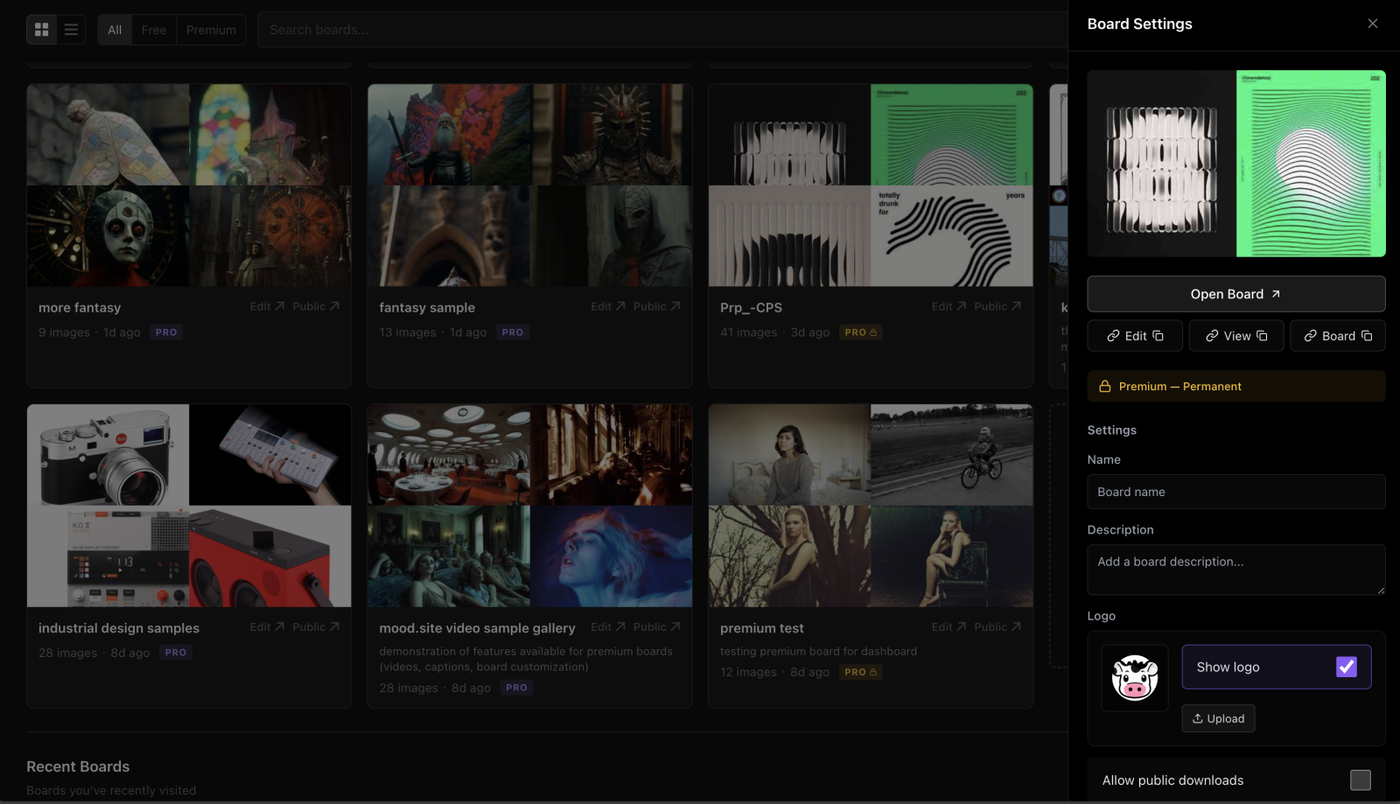
From this panel you can also delete a board by clicking the Delete button at the bottom of board settings. When you click delete, the board is not automatically deleted, but instead moves to a seperate "Recycle Bin" section at the bottom of the dashboard. Boards in the recycle bin are automatically deleted after 30 days. You can also manually trigger a full deletion by clicking a board in the Recycle Bin and clicking "Delete" in the board details view, or by clicking "Delete All" from the Recycle Bin.
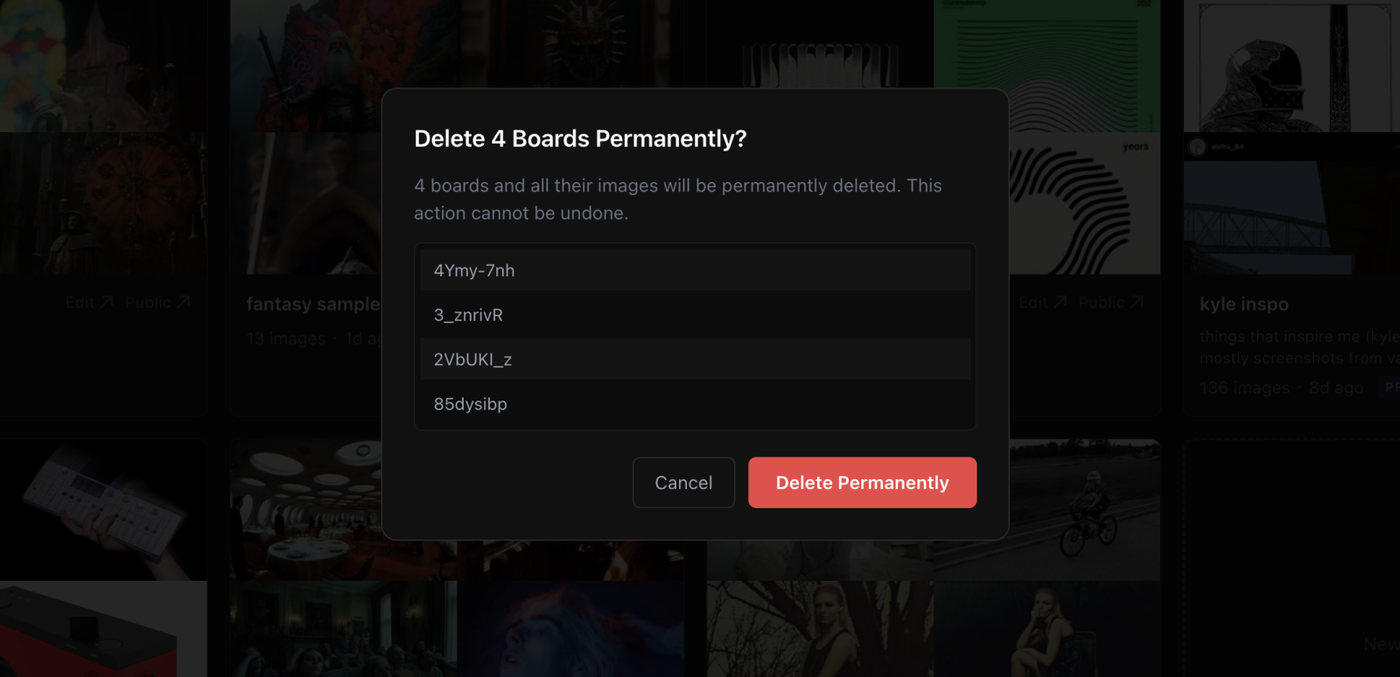
Either way, the site will prompt you when you are doing a permanent deletion to ensure it's what you want to do. Note: deleted board can not be recovered.
Ownership
With accounts and the dashboard comes the new idea of board "ownership".
New boards created by logged in users will be automatically "owned" by that user.
Additionally, boards that you can access via their edit keys can be "claimed" by a logged in user, provided the board has not already been claimed by someone else. This is useful is you are making an account, and want to claim a lot of old boards you've been working on so that they are accessible from the dashboard.
To claim a board, if you navigate to the board settings panel, you can see the "Claim this board" button. Clicking this will claim it for your account. If you aren't logged in and the board isn't claimed, you can create an account and the board will be claimed for the created account.
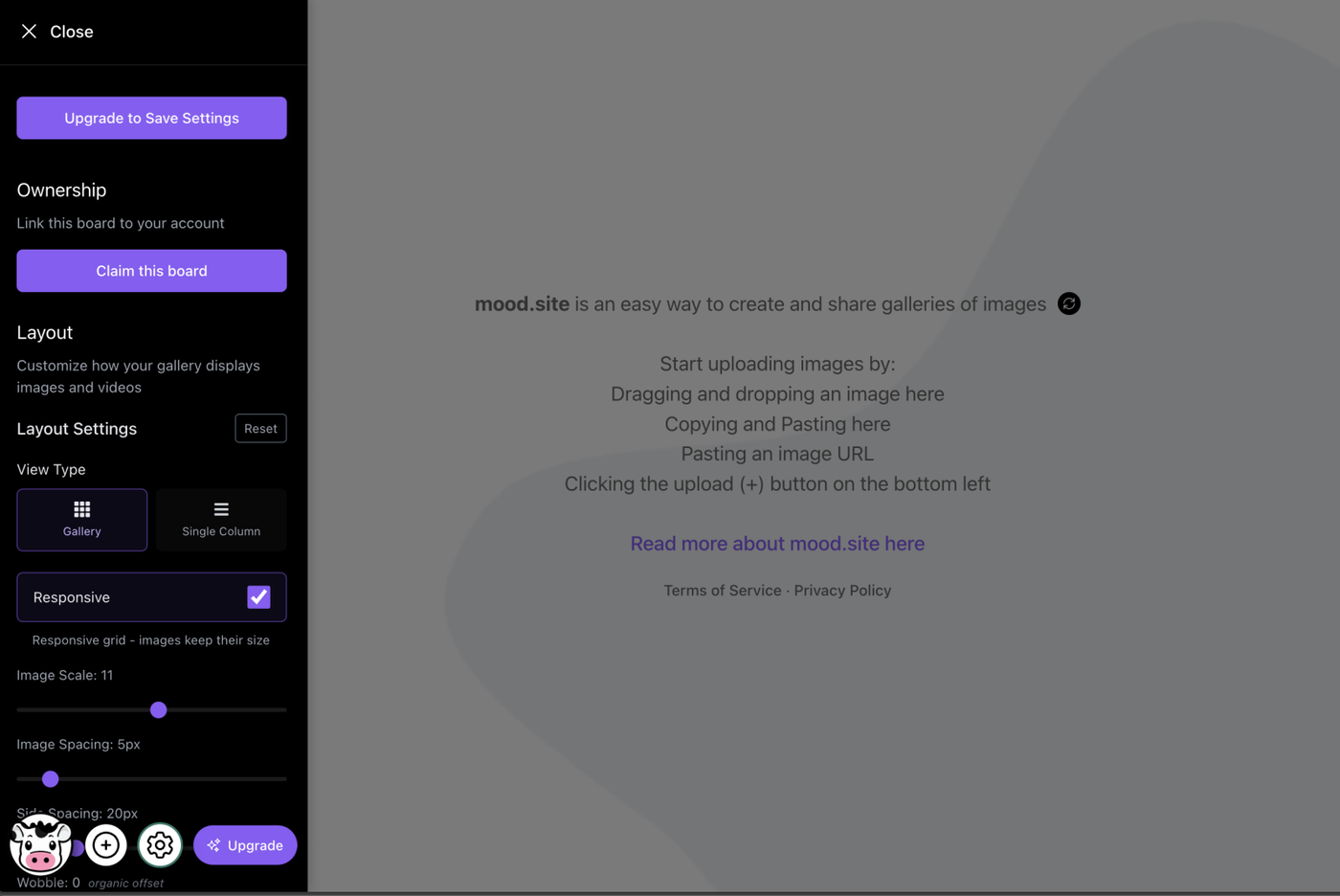
Once claimed, you will see an indication that you own the board, and it will appear in your dashboard.
Boards that are claimed by others will reflect that in their settings panel. Note: even if you have an edit key for the board, you can not claim boards that have been claimed by someone else. Boards can only be owned by one account, however, anyone with an edit key can still edit board settings, even if they don't own the board. That said, edit keys do not grant the ability to delete — only owners of boards may delete boards.
That said, why does ownership actually matter if you can still edit boards with edit keys? Well, read on!
Pro Subscription
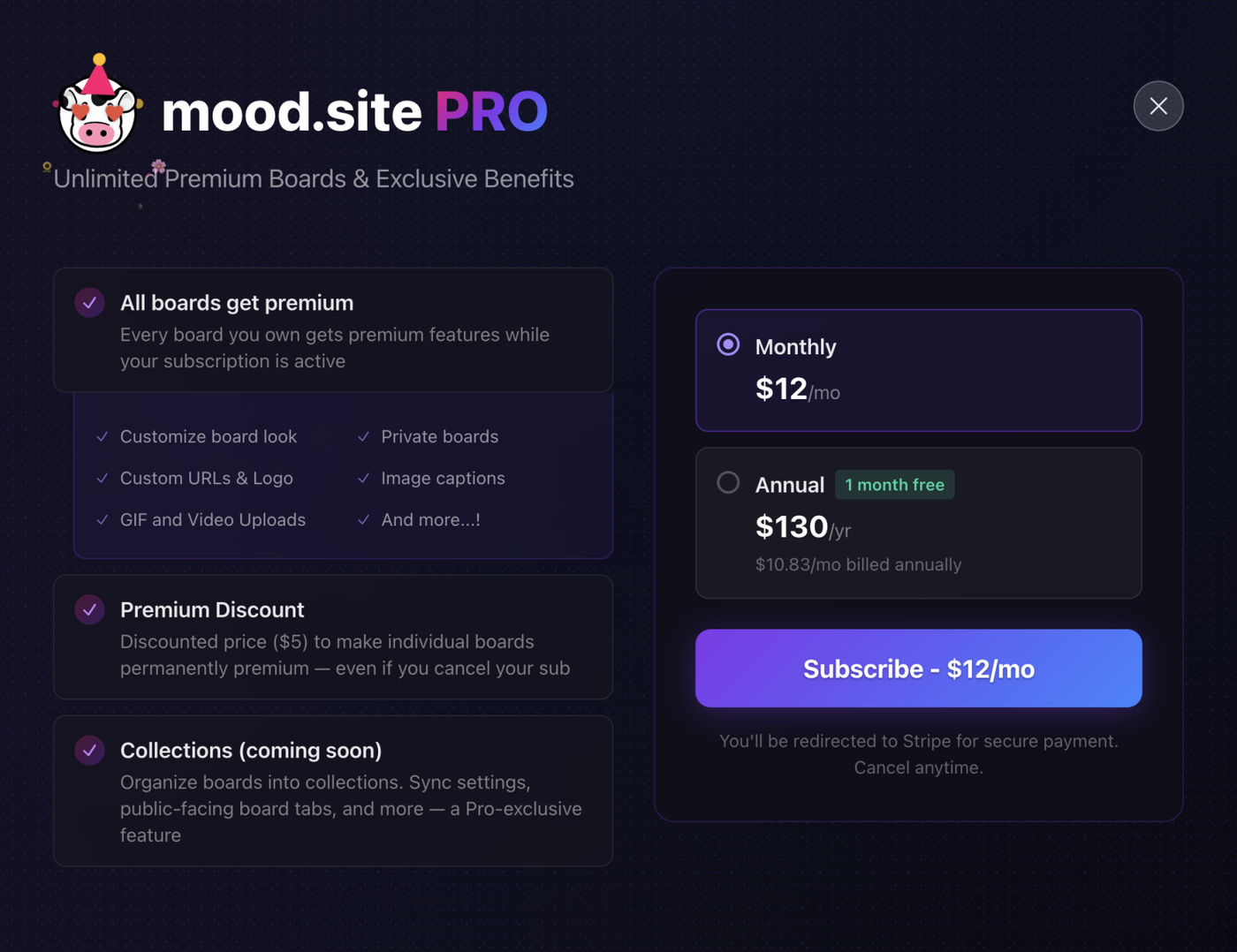
mood.site now has a new pricing tier I'm calling "mood.site Pro". Pro will be updated over time to have more dashboard-centric features, but right now has one major feature that has been a recurring request from a lot of you: all boards you own and create while you have an active Pro subscription will automatically get premium features at no extra cost.
There are also no limits on this — you can make as many premium boards as you want!
If you cancel your subscription, the boards will revert to their non-premium status, and also lose the customizations you applied to them. This includes their privacy settings, custom url, logo, etc. That said, the customizations on the server remain, so if you ever choose to renew the boards will get all your settings back automatically!
If you want to keep a board's premium status, even when you cancel a subscription, Pro accounts have the added benefit of a discounted board premium upgrade to "lock" premium, paying only $5/board as compared to the $7/board for non-pro users.
Features in the Pro Plan
Right now, universal premium is the banner feature of a Pro account. But I'm not stopping there. I have plans to continue adding Pro features to mood in the same way I continue to add features to Premium boards.
Pro features will be more dashboard-flavored, unlocking tools and workflows for people that are creating and managing a lot of boards. The first planned feature here is Collections, which will give you the ability to group boards into different folders, and within those folders sync board settings.
I'm also toying with the ability to be able to actually expose the collection publicly, either through dedicated (public, if you choose) collection pages or through some sort of spreadsheet style "tab" interface on any boards in that collection. We'll see!
Other Updates
It wouldn't be a major feature release with some other little side benefits!
- Mobile got a major refresh. Boards should now just simply "behave" much better on mobile, especially in regards to scrolling / uploading / etc. I wasn't aware of how broken mobile use felt until the last month, so I spent some time as part of this making sure everything looked and felt like "normal" desktop mood. To everyone who endured this pain and used mood here reagardless, thank you! There's more mobile work to be done with regards to side panel behavior and menu buttons/image adjustment buttons, but that will be deferred to a bit later as a I take a small break from mood after pushing all of this.
- Related to the above, I've also upped the max upload size to 8MB! I may bump this more still, but the 5MB was prohibitely small, prevent people from uploading images from their phone to a board. And to be clear, this is for everyone, not just premium/pro users!
- Fixed "animating" after upload. Mood had a strange tendency to re-animate images after they were done loading. As endearing as this may have been, it was distracting and strange, and as such images should all just upload as normal and you should see an upload indicator on them as they upload.
Wrap-up
mood.site was conceived as a frictionless tool to be able to create and share galleries of images. That very much is still the case, and in fact that core proposition has even gotten better over time through various performance updates, image re-arranging, etc. It's still the best tool for the job, even if I'm a bit biased.
Accounts complement mood's core features, adding an extra layer of usability and functionality for people who enjoyed using mood but always wanted just a bit more in the way of organization and tracking.
And Pro is for those power users among you, juggling lots of boards for all your various projects and ideas, accessible now from a unifed dashboard interface acting as a jumping off point for your own creativity, ideas, and personality.
mood has come a long way from its very first version, but with each change I feel like I'm finding some better expression of the core idea of it mentioned above. It's something I love having at my disposal and am excited to work in just because I find the whole experience of using it enjoyable. And here's to hoping you enjoy all that it as well, for everything it is today and everything it will be in the future.
Thanks for reading, and see you next time!