
The Collections Update
Pro users now have the ability to organize their boards into collections in the Dashboard! Check it out!
First, I just want to say thank you to all those who have subscribed to mood.site Pro! It's great seeing so many people get use out of mood that they are down to support me on an ongoing basis, and to all of you, thank you!
For those that have subscribed, I know that you are heavy users of the (new!) dashboard view. When I first launched the Pro tier for mood I mentioned that I wanted to target more Dashboard-centric features for Pro users. Collections is the first one of those features. Here's what it looks like:
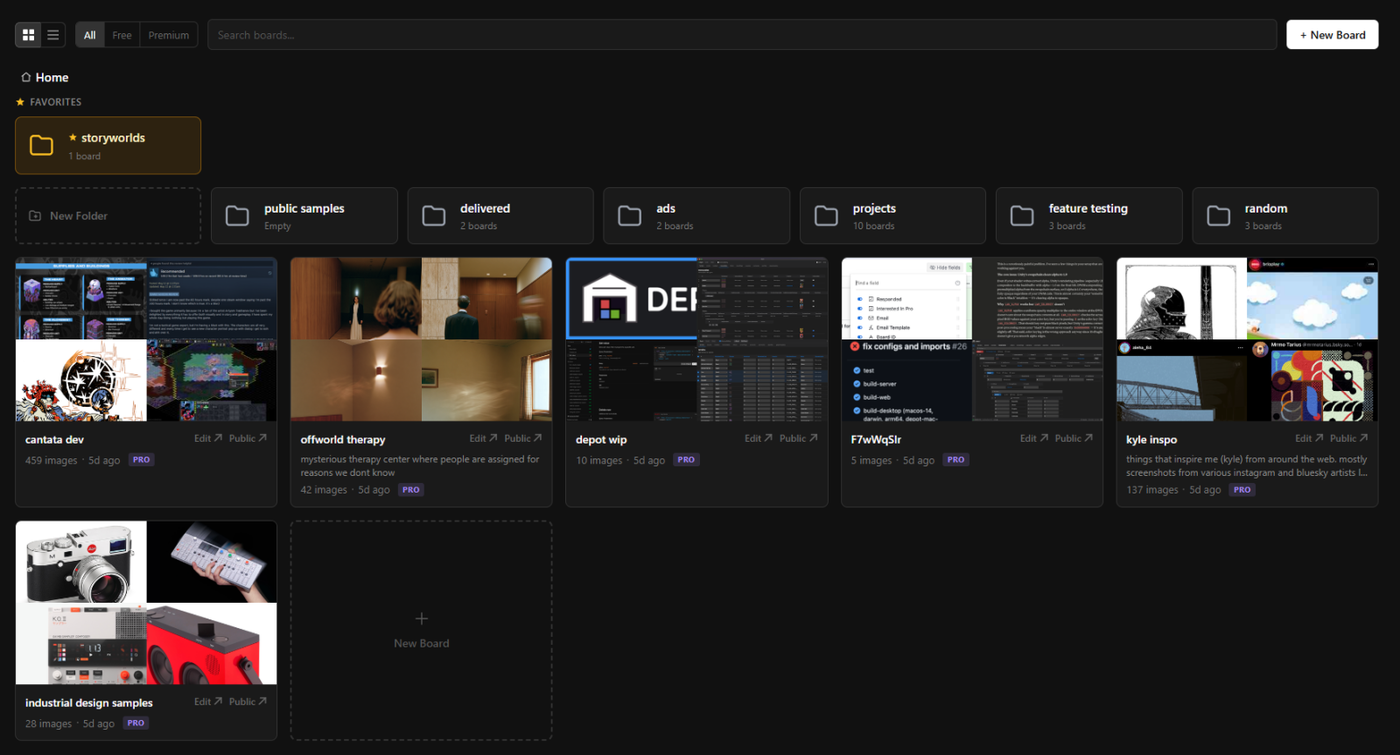
When you go to the dashboard, you'll now have the ability to create folders. Boards can be dragged and dropped into those folders such that they are organized into that folder. Easy enough right? But there's more!
You can now multi-select boards by holding CTRL and clicking the boards you want to move, and then dragging them into that folder. So for all of you with 50+ boards, you should be able to more easily quickly re-arrange things. Folders can also contain folders, so you can nest things as deeply as you'd like.
You can see in the image above that there is also a "Favorites" section. Collection folders that you want to always see when you load up dashboard can be tagged as a favorite by either clicking in the breadcrumb nav:
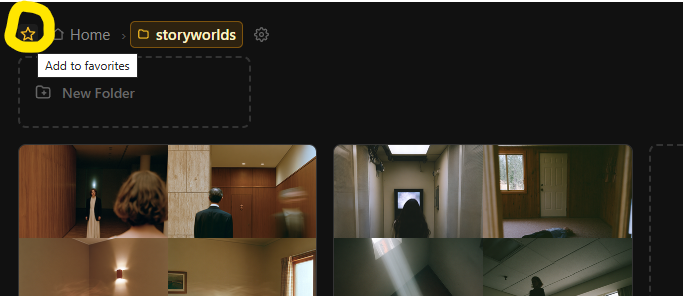
Or by setting the folder as a favorite in the new Folder Settings panel, accessible by clicking the gear next to the folder icon.
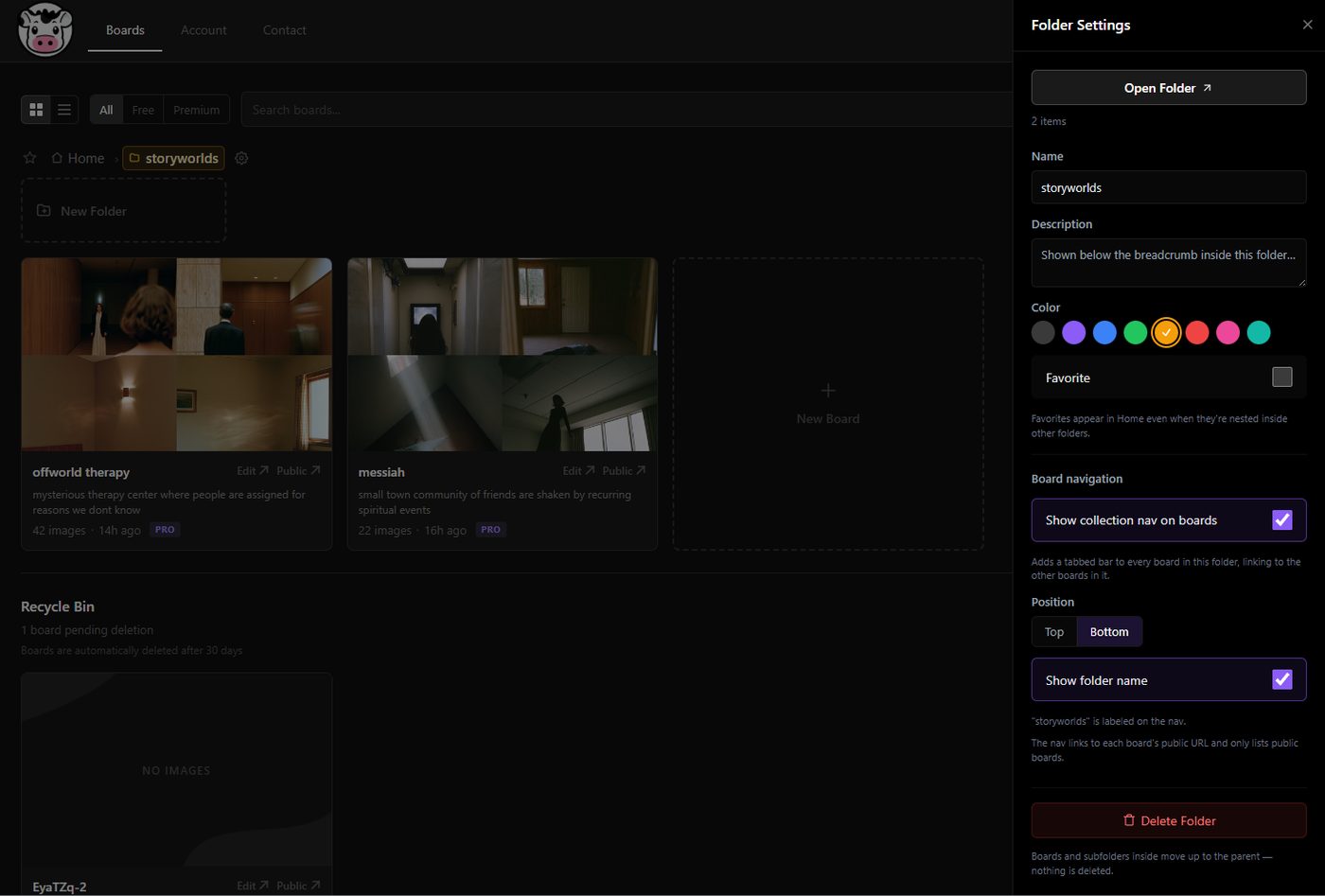
Here you can also see some of the other new settings for Collections. You can set a folder name/description as well as set a color to easily set this folder apart with others at the same level.
You can also delete the folder, which does not delete the inner boards/folders, and only just moves everything up one level in the folder hierarchy.
Additionally, you can see the other major new feature of Collections here - "Show collection nav on boards"! When you select this, any public, non-private boards in that folder will now show a tabbed navigation on the board (at either the top or bottom, based on your selection) that allows any public, non-edit mode viewers of that board to click on the "tabs" in order to view another board in that collection! Here's what it looks like. I've toggled on "Show Folder Name" on the tabbed view here.
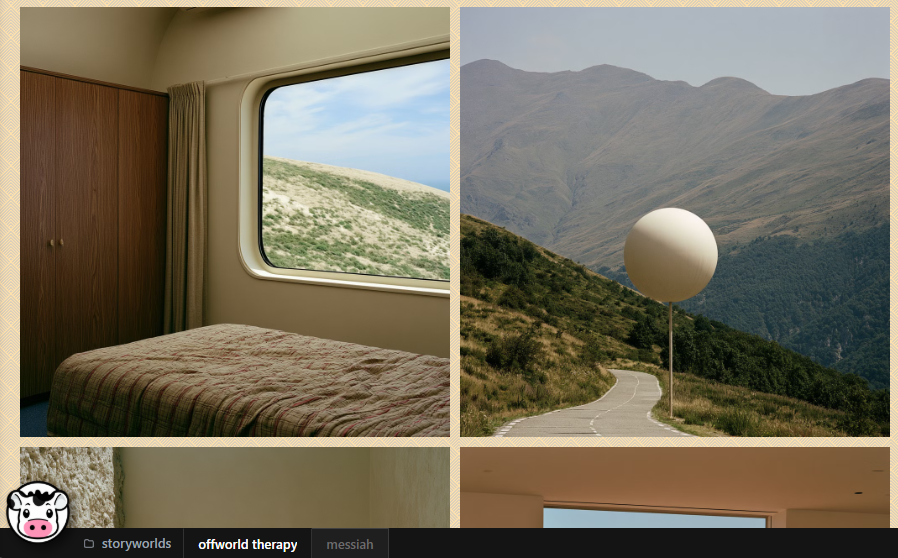
This is a great way to collect your boards and share them publicly around a project idea. For example:
Imagine you have a home decorating project - you could have a single folder for that project, and different boards in each that represent different rooms/motifs.
Or maybe you're working on a movie or game, and want to have dedicated boards for main characters and environment inspiration.
Or maybe you've just got some personal photos you want to share, and want to organize them around where you were for those photos.
All of it's possible, and I'm excited to see how people use this feature.
This is the first major release of Collections. I've got more plans for it in the future, but am excited to get it out now as I know similar ideas have been proposed by other people either though email or feedback on reddit.
To all of you that continue to use mood, thank you! Every single time someone subscribes or pays for a premium upgrade, or even just makes a new free board, I'm so excited to know that people are finding such use out of this thing!
Thanks and until next time!